


Description
Create Professional Presentations With 3,000 Animated PowerPoint Slides
Create Professional Presentations With 3,000 Animated PowerPoint Slides
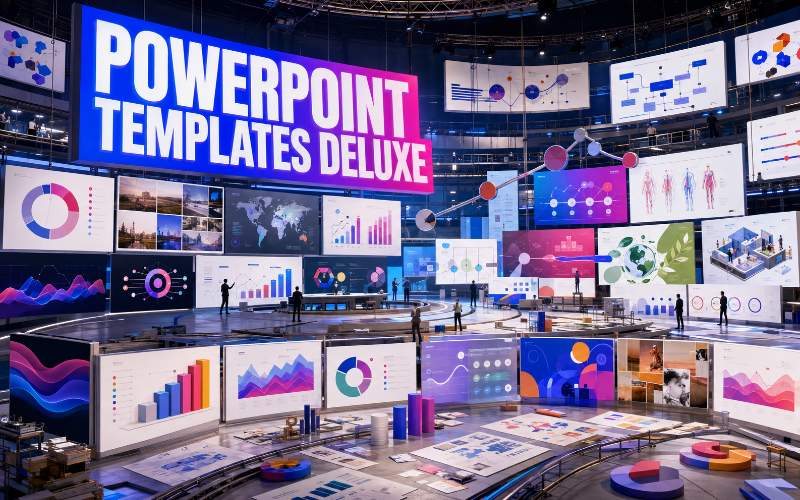
PowerPoint Templates Deluxe Bundle is a massive presentation-design library containing 3,000 animated PowerPoint slides organized across more than 25 creative and professional categories.
Instead of designing every chart, diagram, timeline, comparison, infographic and presentation layout from scratch, you can choose an existing slide, replace the example content and adapt the design to your own project.
The collection covers business presentations, social media, medical topics, environmental subjects, maps, flowcharts, infographics, diagrams, device mockups, timelines and numerous contemporary visual styles.
What You Get Inside
3,000 animated PowerPoint slides
More than 25 organized design categories
Business and corporate presentation slides
Flowcharts and process diagrams
Infographics and data visualizations
Timelines and project slides
Maps and location graphics
Excel-style charts
Device mockup slides
Social media layouts
Animated photo slides
Icons and illustrations
Multiple modern presentation styles
Organized Into 26 Presentation Categories
The slide library is divided into clearly labeled folders, making it easier to locate the format or visual style needed for a particular presentation.
Included categories are:
Abstract
Cycle
Flowchart
Isometric
Line
Maps
Medical
Ecology
Parallax
Arrows
Diagrams
Minimal
Business
Doodle and Canva
Puzzle
Animated Photo Slides
Timelines
Illustrations
Creative
Realistic
Excel Charts
Device Mockups
Neumorphic
Infographics
Glassmorphism
Social Media
Abstract Presentation Slides
Create visually expressive presentations using abstract shapes, layered compositions, modern backgrounds and decorative arrangements.
These slides can be adapted for creative pitches, portfolio presentations, event decks, marketing ideas and visually led concepts.
Cycle Diagrams
Explain repeating processes, continuous systems and recurring stages with editable cycle-based layouts.
Use these slides for:
Business cycles
Customer journeys
Product-development processes
Continuous improvement
Marketing systems
Learning frameworks
Operational workflows
Flowchart Slides
Visualize decisions, processes, sequences and branching paths with a collection of ready-made flowchart layouts.
Flowcharts can help audiences understand how one action leads to another and where different choices affect the final result.
Isometric Slides
Add depth to presentations with isometric illustrations and layouts that present people, objects, buildings and processes from a dimensional perspective.
These slides are useful for technology, business systems, infrastructure, service demonstrations and conceptual diagrams.
Line-Based Graphics
Use clean line illustrations and lightweight diagram styles when you want to explain an idea without filling the slide with heavy visual elements.
The line-based collection is suitable for minimalist presentations, instructional decks and modern business communication.
Maps and Location Slides
Present regional information, geographic comparisons, expansion plans and location-based data using editable map graphics.
Use the map slides for:
International business presentations
Market coverage
Travel and tourism
Regional performance
Delivery and distribution areas
Location-based reports
Geographic comparisons
Medical Presentation Slides
Develop healthcare, wellness, medical and scientific presentations using layouts created for professional information and visual explanation.
The slides can be adapted for training, education, internal reports, patient information and healthcare-related presentations.
The templates provide visual layouts only and do not contain medical advice. Any healthcare information added to the slides should be checked by a qualified professional.
Ecology and Environmental Slides
Present environmental topics using layouts suited to sustainability, conservation, renewable energy, ecology and nature-based subjects.
Use these designs for educational presentations, company sustainability reports, environmental proposals and awareness campaigns.
Parallax Presentation Slides
Create presentations with layered visual depth and movement using parallax-inspired layouts.
These designs can make image-led presentations feel more dynamic while retaining the familiar PowerPoint editing workflow.
Arrow Graphics
Use arrow-based diagrams to communicate movement, direction, progression, connections and cause-and-effect relationships.
The collection includes arrow layouts suitable for processes, comparisons, roadmaps and strategic presentations.
Professional Diagrams
Turn complex concepts into clearer visual structures using ready-made diagrams.
Diagram slides can be used to present:
Relationships
Hierarchies
Processes
Comparisons
Systems
Frameworks
Categories
Strategic models
Minimal Presentation Slides
Create clean, spacious presentations using layouts with restrained typography, simple graphics and clearly separated content.
Minimal slides are useful for executive presentations, premium brand decks, portfolios, reports and proposals where the content should remain the primary focus.
Business Presentation Slides
Build company profiles, strategy decks, sales presentations, reports and project updates with dedicated business layouts.
Possible applications include:
Company introductions
Business proposals
Marketing plans
Performance reports
Product presentations
Sales pitches
Financial summaries
Team presentations
Client meetings
Doodle and Canva-Style Slides
Add an informal, hand-drawn or playful quality to presentations using doodle graphics and accessible visual layouts.
These designs can work well for education, workshops, creative projects, social media and presentations intended to feel less corporate.
Puzzle Diagrams
Use puzzle-piece graphics to show how different departments, ideas, services or stages combine into one complete system.
Puzzle slides are useful for teamwork, partnerships, problem-solving, product features and strategic planning.
Animated Photo Slides
Showcase photographs using animated layouts designed to introduce, reveal and transition between visual content.
Use these slides for:
Photo presentations
Portfolio showcases
Travel slideshows
Event presentations
Product imagery
Case studies
Before-and-after comparisons
Timeline Slides
Display events, milestones and future plans in chronological order using editable timeline designs.
Timelines can support company histories, project schedules, product roadmaps, campaign planning and step-by-step implementation.
Illustration Slides
Use ready-made illustrations to make presentations more visual without searching for every graphic separately.
The illustrations can support explainers, educational presentations, internal training and general creative communication.
Creative Presentation Slides
Build more distinctive presentations using layouts that move beyond conventional corporate formatting.
The creative collection is suitable for agencies, designers, content creators, campaigns, events and idea-driven presentations.
Realistic Visual Slides
Add greater depth and familiarity to presentations with realistic objects, dimensional elements and presentation scenes.
These slides can help showcase products, processes and concepts using recognizable visual forms.
Excel Charts and Data Slides
Present numerical information using chart-based layouts designed for business reports, research and performance analysis.
Chart formats may be useful for showing:
Growth over time
Category comparisons
Market shares
Performance percentages
Financial data
Survey results
Project metrics
Business forecasts
Device Mockup Slides
Display websites, applications, software, screenshots and digital products inside device-based presentation layouts.
The collection can help present content inside desktop monitors, laptops, tablets and mobile-device scenes.
Use the mockups for product demonstrations, website proposals, app showcases, course presentations and digital portfolio projects.
Neumorphic Slides
Create interface-inspired presentations using soft shadows, raised elements and modern neumorphic design.
These layouts are suitable for technology, software, applications, startups and contemporary digital presentations.
Infographic Slides
Turn facts, figures, comparisons and processes into visual presentations using a wide selection of infographic layouts.
Infographics can help reduce long blocks of text and make information easier to scan during a live presentation.
Glassmorphism Slides
Use translucent panels, soft backgrounds and layered interface-inspired elements to create a contemporary glassmorphism effect.
These slides are suitable for modern technology, digital-product, marketing and creative presentations.
Social Media Slides
Plan campaigns, present content strategies and report social media results using dedicated social media layouts.
Use the slides for:
Social media proposals
Campaign strategies
Content calendars
Audience reports
Platform comparisons
Engagement results
Influencer campaigns
Client presentations
Animated Slides Included
The collection includes animated presentation slides designed to reveal and move visual elements during a presentation.
Depending on the individual slide, animation may be used for:
Introducing headings
Revealing individual data points
Moving between process stages
Presenting diagrams in sequence
Animating photographs
Emphasizing important information
Creating smoother visual storytelling
Animations can be retained, changed or removed according to the requirements of your presentation and the PowerPoint version being used.
Use Individual Slides or Combine Multiple Categories
The bundle is designed as a modular slide library rather than one fixed presentation.
You can select individual slides from different categories and combine them into a new presentation suited to your subject.
For example, a business proposal might combine:
A minimal title slide
A company introduction
A flowchart explaining the service
A map showing customer locations
An infographic summarizing benefits
An Excel-style performance chart
A timeline showing implementation
A device mockup displaying the product
A final project roadmap
How to Use the Bundle
Browse the category folders. Choose the type of slide or visual style required.
Open the presentation file. Review the included layouts and animations.
Select the slides you need. Copy them into a new or existing PowerPoint presentation.
Replace the example content. Add your own headings, text, images and numerical data.
Apply your branding. Adjust colors, fonts, logos and visual elements.
Review the animations. Retain, modify or remove animation effects as necessary.
Check the final deck. Confirm that all text, charts, images and transitions display correctly.
Present or export. Deliver the PowerPoint file or export it into another supported format.
Suitable for a Wide Range of Projects
PowerPoint Templates Deluxe Bundle can be used to develop:
Business presentations
Company profiles
Sales decks
Marketing proposals
Project plans
Training presentations
Educational lessons
Webinars
Conference presentations
Financial reports
Research summaries
Social media reports
Startup pitch decks
Product demonstrations
Portfolio presentations
Client presentations
Photo slideshows
Internal company updates
Who Is This Bundle For?
Business owners
Marketing teams
Sales professionals
Teachers and educators
Students
Freelancers
Consultants
Designers
Social media managers
Project managers
Course creators
Webinar hosts
Agencies creating presentations for clients
Anyone who regularly works with PowerPoint
Software and Compatibility
The templates are intended primarily for use with Microsoft PowerPoint.
Microsoft PowerPoint and any other third-party software required to open, edit or export the templates are not included.
Compatibility, fonts, animations and editable features may vary depending on the PowerPoint version, operating system and software used to open the files.
Some fonts, images or linked media may need to be replaced if they are not installed or available on your device.
Create More Presentations Without Rebuilding Every Slide
PowerPoint Templates Deluxe Bundle gives you a broad collection of 3,000 animated slides for presenting ideas, data, projects, processes and visual stories.
Browse the organized categories, select the layouts that fit your message and adapt them into professional presentations for your business, classroom, audience or clients.





Reviews
There are no reviews yet.