



Description
Create professional AI graphics without the obvious “AI look.”
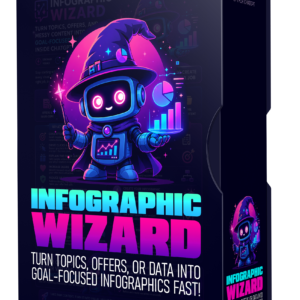
This practical training guide and reusable prompt resource shows you how to direct AI image generators toward cleaner, more believable, commercially usable designs. Instead of accepting glossy effects, cluttered layouts, random icons, excessive gradients, unrealistic shadows, or generic digital-art styling, you’ll learn how to guide the AI with real graphic-design principles such as typography, spacing, hierarchy, balance, restrained colour palettes, simplicity, and white space.
At the heart of the guide is a reusable Universal Quality Instructions block. Add it to the end of your image prompts to encourage professional editorial design and reduce common AI visual clichés. The instructions help AI create graphics that feel more like human art direction and less like automatically generated artwork.
Inside the guide, you’ll learn how to create:
eCover graphics
for ebooks, reports, checklists, prompt packs, courses, workbooks, swipe files, lead magnets, bonuses, and affiliate resources.
Sales and landing-page graphics
including feature comparisons, benefit callouts, pricing sections, guarantee badges, product mockups, process diagrams, timelines, testimonials, and visual offer breakdowns.
Thank-you page graphics
such as welcome banners, congratulations graphics, download panels, next-step instructions, onboarding visuals, and customer guidance graphics.
JV and affiliate-page graphics
including launch timelines, commission visuals, promotional resource sections, bonus showcases, funnel explanations, and affiliate information panels.
Facebook graphics
such as quote posts, educational graphics, carousel layouts, branded content images, and simple visual posts designed to stop scrolling without relying on excessive effects.
YouTube thumbnails
for tutorials, educational videos, product reviews, case studies, interviews, promotional videos, feature demonstrations, roadmap content, and consistent channel branding.
The eCover workflow helps you move from idea to polished cover concept. You’ll learn how to generate several distinct directions instead of receiving the same generic design repeatedly. The included prompt approach can explore modern minimalist, Swiss editorial, bold typographic, colour-blocked, symbolic, and premium business-book styles before you select the strongest concept to refine.
You’ll also get a structured refinement process with prompts for improving typography, simplifying the layout, modernising the design, strengthening the colour palette, increasing readability, adding white space, improving balance, replacing weak visual elements, creating variations, making the design more commercial, and removing the artificial AI appearance. The guide also explains how to adapt a finished cover into a professional 3D paperback-style presentation.
The sales-page section is built around communication, not decoration. Each graphic should help a visitor understand the offer faster, see the value more clearly, trust the presentation, or continue reading. The prompts are designed for practical marketing assets such as comparison charts, feature-and-benefit graphics, process visuals, offer breakdowns, product presentations, and call-to-action sections.
The YouTube thumbnail section includes multiple reusable frameworks for different video types, including bold typography thumbnails, question-based curiosity thumbnails, feature-highlight thumbnails, framework or method thumbnails, timeline and roadmap thumbnails, and branded thumbnail series. Prompts include space for the video title, supporting text, channel name, brand colours, logo placement, visual focal point, and the correct 1280 × 720 thumbnail format.
Throughout the guide, you’ll learn how to treat AI as a designer you direct rather than a button you press once. You’ll be shown how to request alternate concepts, refine a promising design, remove unnecessary effects, improve hierarchy, test different layouts, and develop a visual system that can be reused across your brand.
This guide is ideal for:
Digital-product creators designing covers, bonuses, workbooks, and lead magnets
Affiliate marketers creating original promotional graphics
Course creators and coaches building professional sales-page visuals
JV managers preparing launch and affiliate materials
Social-media creators producing branded Facebook content
YouTubers who need clearer, more clickable thumbnail concepts
Agencies and freelancers creating repeatable visual systems for clients
Anyone using ChatGPT, Claude, Gemini, Midjourney, or another AI image tool
This is a prompt-driven training resource, not a standalone design program. You use the included instructions and frameworks inside the AI image generator you already prefer, then refine the results until they match your project, audience, and brand.
Use the guide to create visuals that look intentional, readable, commercially appropriate, and distinctly yours—without learning complicated design software or settling for another generic AI-generated graphic.

Reviews
There are no reviews yet.