



Description
ReelFree is a straightforward screen-recording tool for creating tutorials, walkthroughs, demonstrations and “here’s how to do it” videos directly from your browser.
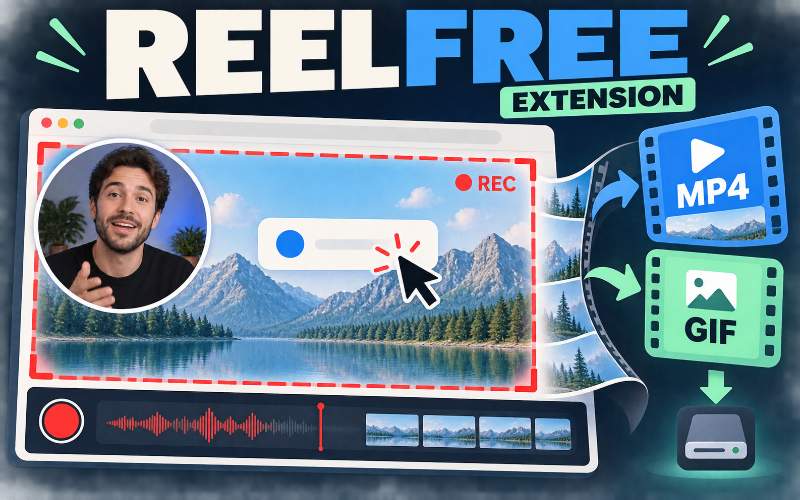
Record your entire screen, an individual application window or a single browser tab. You can also include your webcam as a customizable picture-in-picture bubble, allowing viewers to see the presenter alongside the on-screen demonstration.
Recording Options
Entire-screen recording:
Capture everything displayed across your selected screen.
Application-window recording:
Focus the recording on one open program or workspace.
Browser-tab recording:
Record a specific webpage or browser-based application without showing unrelated windows.
Optional webcam overlay:
Add your camera feed as a presenter bubble within the finished recording.
Customizable Webcam Bubble
Choose the webcam bubble’s position, size and shape before recording. The camera overlay is incorporated directly into the resulting video, making it suitable for guided tutorials, product demonstrations, training videos and personalized explanations.
Local MP4 and GIF Export
MP4 video:
Save the completed screen recording directly to your computer as a widely supported video file.
GIF creation:
Convert recordings into shareable animated GIFs for short demonstrations and quick visual instructions.
No watermark:
Finished recordings are exported without ReelFree branding placed over the content.
No stated recording limit:
Record longer tutorials without an imposed ReelFree time restriction.
Private, Local Recording
ReelFree does not require recordings to be uploaded to a cloud account. Captured videos remain on your computer and are saved locally, providing a simpler option for users who do not want their recordings automatically transferred to an external storage service.
No account or login required.
No cloud upload required.
No recurring subscription.
No watermark on exported recordings.
No ReelFree-imposed time limit.
Useful For
Software demonstrations and product walkthroughs.
Step-by-step tutorials and instructional videos.
Course lessons and internal training resources.
Customer-support explanations and troubleshooting guides.
Website, app and workflow demonstrations.
Short GIFs showing a particular button, feature or process.
Client feedback and visual project updates.
ReelFree provides the essential recording and export features needed to create clear screen-based content without requiring a hosted recording account or adding a watermark to the finished file.



Reviews
There are no reviews yet.